Actions
Feature #99
openEpic #96: Authentication & User Access Management
Forgot Password
Start date:
12/17/2025
Due date:
% Done:
100%
Files
Updated by Deeksha Singh 8 months ago
Qa test cases :
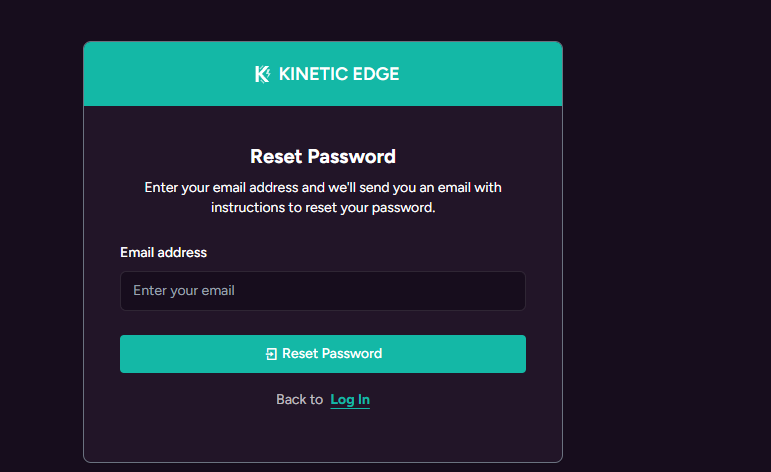
- Verify “Forgot Password” link is visible on the Login page.
- Verify clicking “Forgot Password” redirects the user to the Reset Password page.
- Verify Reset Password page displays an Email input field.
- Verify system validates that the entered email exists and belongs to a verified user.
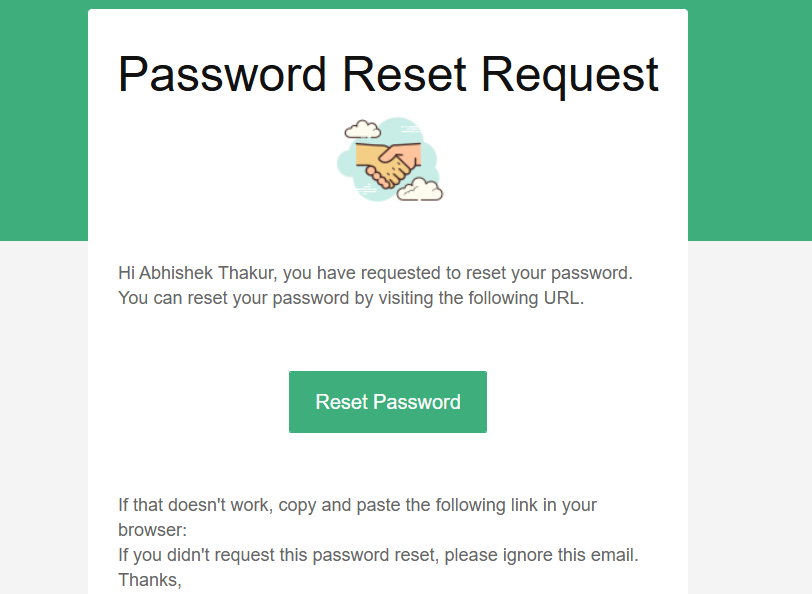
- Verify system sends a password reset email with a secure token valid for 1 hour for valid users.
- Verify system displays message “Email not found or not verified.” for invalid or unverified emails.
- Verify opening a valid reset link displays the password reset form.
- Verify expired reset link shows message “Reset link expired. Please request a new one.”
- Verify invalid reset link shows message “Invalid reset link.”
- Verify password reset form displays New Password and Confirm Password fields.
- Verify New Password field enforces minimum 6-character requirement.
- Verify system shows validation error when New Password and Confirm Password do not match.
- Verify password is securely updated in the system after successful reset.
- Verify user is redirected to Login page after successful reset.
- Verify success message “Password reset successful. You can now log in.” is displayed.
- Verify user can log in with the new password after reset.
- Verify user cannot log in with the old password after reset.
Updated by Deeksha Singh 8 months ago
- Status changed from Closed to Ready To PROD
Updated by Deeksha Singh 8 months ago
- Status changed from Ready To PROD to Ready To UAT
Actions