Actions
Epic #342
openEpic #121: Combined Peptide Stack Protocols
Assign Peptide Stack to Patient from Appointment Details
Start date:
01/08/2026
Due date:
% Done:
0%
Description
Description:
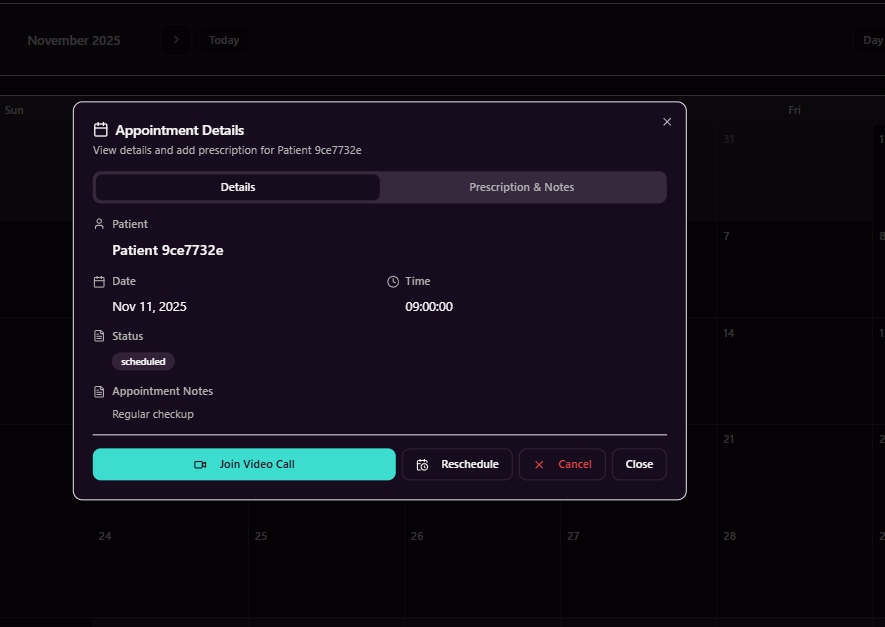
Enhance the Appointment Details screen to allow Providers to assign a peptide stack to the patient associated with the appointment. Once assigned, the patient is notified and guided through purchase and payment, after which the system records the transaction and maintains history.
Requirements:
1. Appointment Details – Peptide Stack Tab
- Add a new tab “Peptide Stack” within the Appointment Details view.
- The tab should be visible to Provider role.
- Display a list of available peptide stacks (active only).
- Provider can view basic stack details before assignment.
2. Assign Peptide Stack to Patient
- Provider can assign a selected peptide stack to the patient linked to the appointment.
- No patient selection is required, as the appointment already contains patient context.
- Once assigned, the stack is marked as pending purchase for the patient.
3. Patient Notifications
- Trigger an in-app notification to the patient informing them that a peptide stack has been recommended.
- Send an email notification to the patient with the same information.
- Notification should include a “Buy Now” action.
4. Patient Purchase Flow
On Buy Now click:
- Redirect the patient to the Peptide Stack Card / Detail page.
- Display full details of the assigned peptide stack.
- On Pay Now click:
- Redirect the patient to Stripe checkout for payment.
5. Payment Success Handling
After successful payment:
- Create required entries in the relevant database tables.
- Mark the peptide stack as active for the patient.
- Record the assignment and purchase in the history / snapshot tables.
- Update patient dashboard and provider view accordingly.
6. General Behavior
- Prevent duplicate assignments of the same stack for the same appointment.
- Ensure payment failure or cancellation does not activate the stack.
- Maintain a clear audit trail of assignment and purchase.
Acceptance Criteria:
- Provider can assign a peptide stack from Appointment Details.
- Patient receives in-app and email notifications.
- Patient can view stack details and complete payment.
- Successful payment activates the stack and updates records.
- Assignment and purchase history is stored correctly.
Files
Actions