Bug #1189
open0%
Description
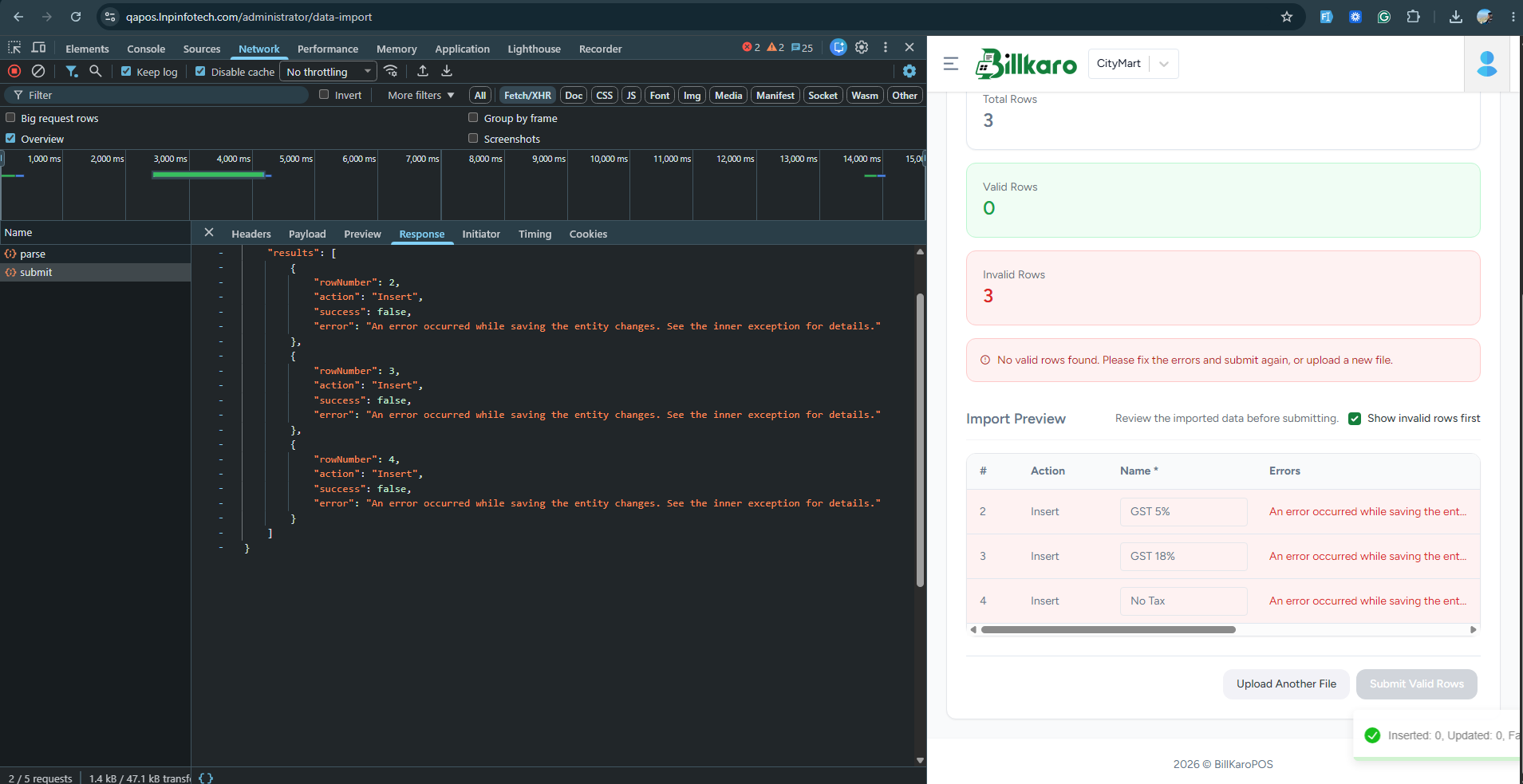
While importing a CSV file containing tax slabs, all three records (GST 5%, GST 18%, and No Tax) fail to save. The system displays a generic error message: “An error occurred while saving the entity changes. See the inner exception for details.”
Steps to Reproduce:
Log in to the BillKaro POS application as an Administrator.
Navigate to the Data Import module.
Upload a CSV file containing tax slab records.
Review the import preview and submit the records.
Actual Result:
All three records fail to import, and the system displays 0 valid rows and 3 invalid rows.
Expected Result:
The system should successfully import valid tax slab records or display a meaningful validation error identifying the reason for failure.
Additional Information:
The error appears to occur during database save operations. Backend logs or the inner exception should be checked to identify the root cause.
Files