Bug #1063
closedEpic #913: Phase 2
Epic #1053: Client Feedbacks
Bug #1057: Phase 3 bugs
Estimated Loss / Total Loss mismatch between POS and Portal while adding Wastage
0%
Description
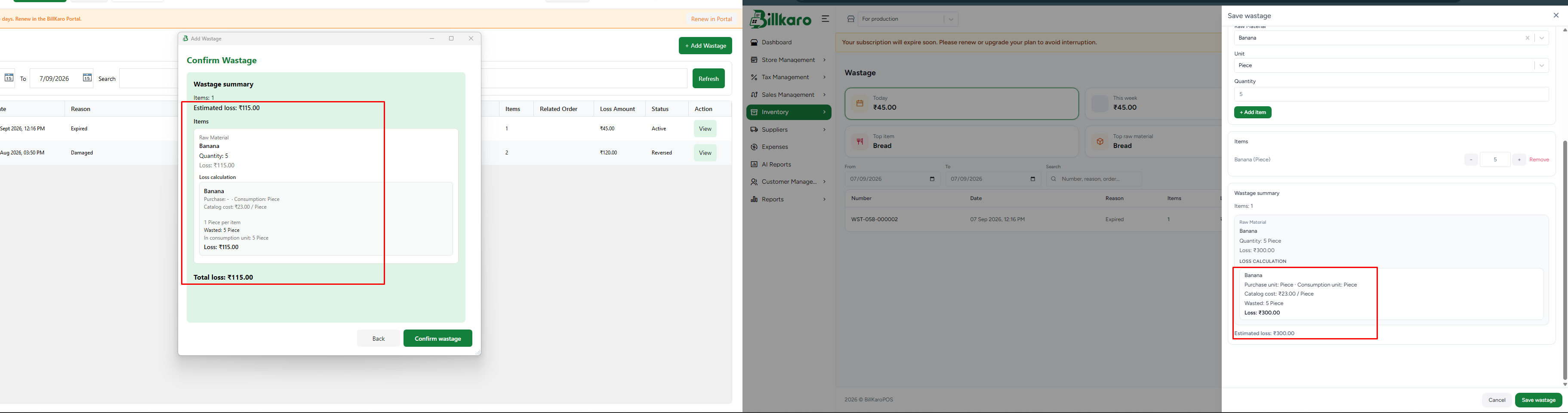
While adding wastage, the Estimated Loss / Total Loss value displayed in the POS window does not match the value shown in the Portal.
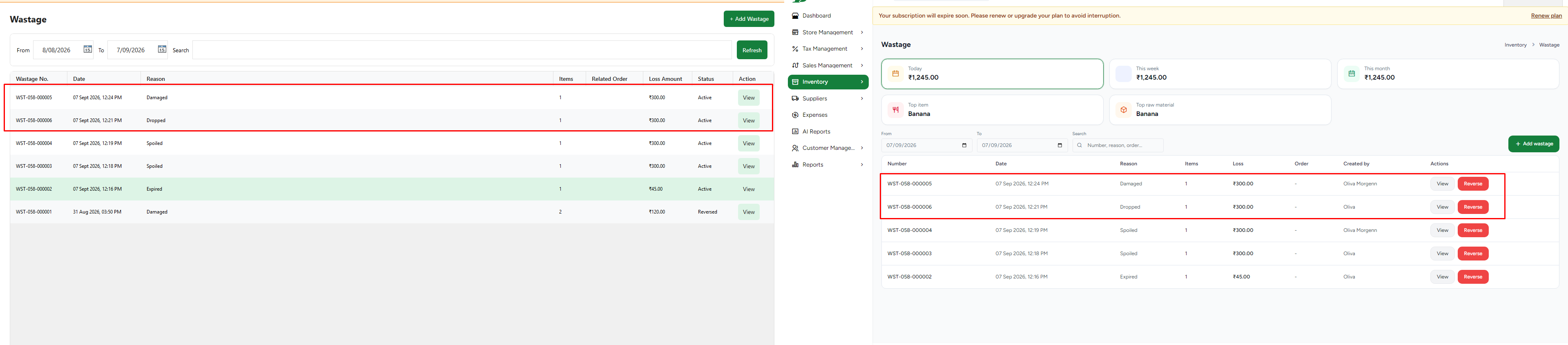
Initially, the POS window displays Estimated Loss = 115, whereas the corresponding value in the Portal is different. After the wastage is added and synced, the POS value changes to 300, matching the Portal value.
Steps to Reproduce:
Open the Wastage module in POS.
Select an item and enter the wastage quantity.
Check the Estimated Loss / Total Loss displayed in the POS wastage window.
Compare the value with the corresponding value in the Portal.
Add/save the wastage.
Sync POS with the Portal.
Recheck the Estimated Loss / Total Loss value.
Actual Result:
Before adding/syncing, POS displays Estimated Loss = 115.
The value does not match the Portal value.
After adding and syncing, the value changes to 300 and then matches the Portal.
Expected Result:
The Estimated Loss / Total Loss calculation should be consistent between POS and Portal while adding wastage. The value displayed before saving should match the value that will be recorded after sync.
Impact:
This may confuse users because the loss amount shown when creating wastage differs from the final recorded loss amount.
Files