Task #437
openEpic #7: Admin Portal
Change Request
0%
Description
Description:
Implement multiple system enhancements identified during the demo to improve scheduling, calendar integration, provider visibility controls, patient details view, and dashboard navigation.
Requirements:
- Implement recurring slot creation with specific day range selection (e.g., Monday–Friday or custom range).
- Support weekly and monthly recurrence options.
- Enable calendar synchronization with Google Calendar and Microsoft Outlook Calendar.
- Support two-way sync (create, update, cancel) with conflict prevention and real-time updates.
- Remove provider email from all user-facing system views (admin access only).
- Add configurable grace period time and display it in appointment settings, booking confirmation, and provider dashboard (if applicable).
- Enable the Prescription menu for AI-generated transcription.
- On “My Patients” click, display full patient profile, appointment history, notes, and relevant session details.
- Make dashboard summary sections clickable and redirect to corresponding detailed pages.
Acceptance Criteria:
- Recurring slots function correctly with selected day ranges.
- Calendar sync works properly with Google and Outlook without duplication.
- Provider email is not visible in any user-facing UI.
- Grace period is configurable and displayed correctly.
- Enable the Prescription menu for AI-generated transcription.
- “My Patients” displays complete and organized patient information.
- Dashboard sections redirect properly and improve navigation flow.
Files
Updated by Abhishek Thakur 8 months ago
- Status changed from New to Ready to QA
- Assignee set to Deeksha Singh
Enable calendar synchronization with Google Calendar and Microsoft Outlook by downloading the ICS file and importing it manually into calendar. Done
Remove provider email from all user-facing system views (admin access only). Done
Add configurable grace period time and display it in appointment settings, booking confirmation, and provider dashboard (if applicable). Done
Enable AI-generated transcription visibility for providers within session details. Done
Make dashboard summary sections clickable and redirect to corresponding detailed pages. Done
Updated by Deeksha Singh 8 months ago
- Status changed from Ready to QA to New
- Assignee changed from Deeksha Singh to Abhishek Thakur
- When appointments move to the past, their status should automatically update to Closed or Cancelled instead of remaining active.
- An unexplained indicator (dot) is being displayed in the UI; the purpose of this indicator is unclear and needs clarification or removal if not required.
- On the provider dashboard, the counts for Appointments, Prescriptions, and Patients are showing as zero despite existing data.
-
AI-generated transcription is currently displayed under the Prescription section, whereas it should be visible within the Session Details as intended.
-
The scheduled meeting time is not displayed correctly; it shows “All Day” instead of the actual appointment timings.
Updated by Deeksha Singh 8 months ago · Edited
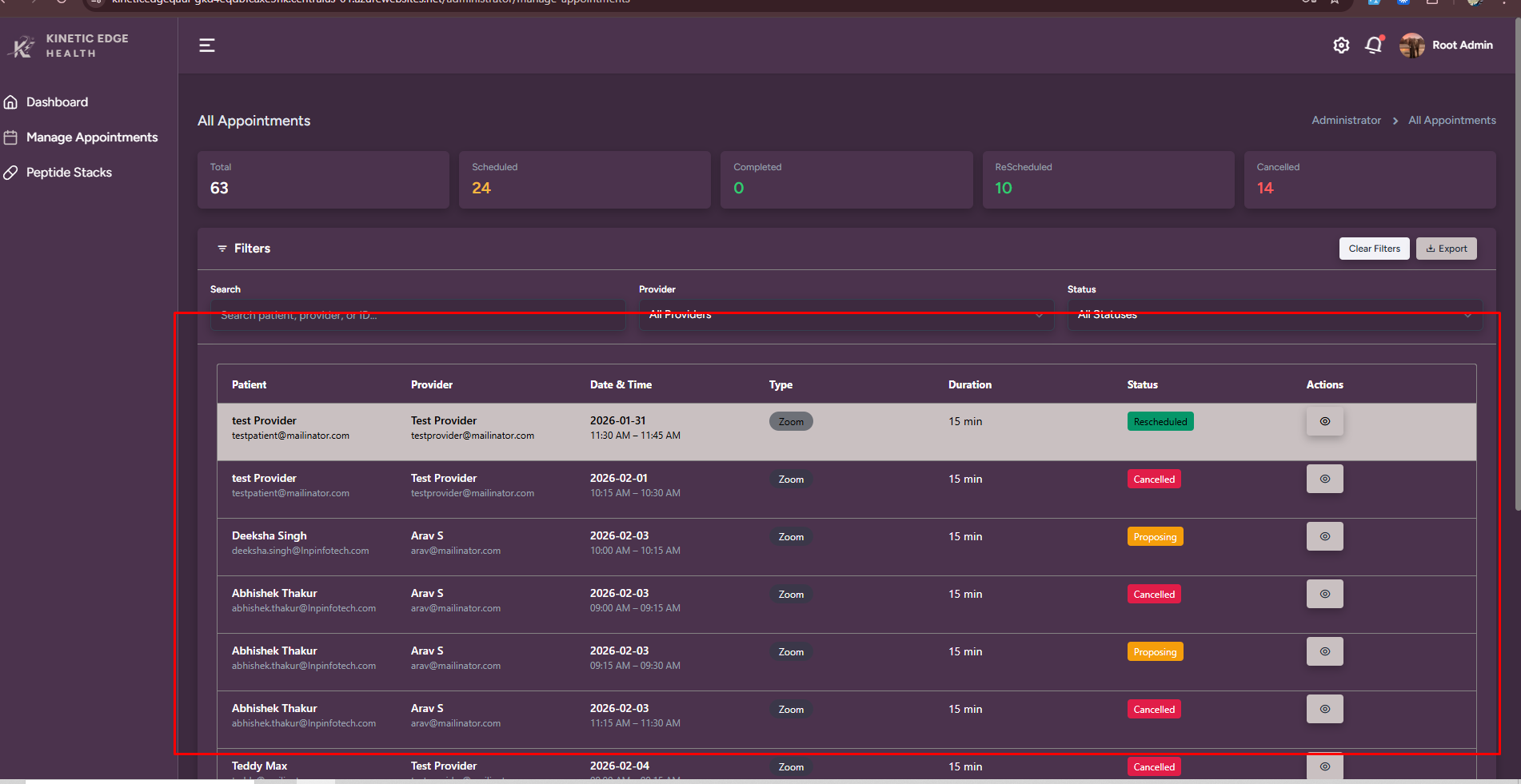
In the admin panel, the latest appointments should be displayed at the top.
Appointments should be sorted by the most recent date and time (newest first) so that newly booked appointments are immediately visible.
https://prnt.sc/8bnjH23Tyc35
Why we are showing lab orders on admin dashboard.
https://prnt.sc/iZQ1i0BifDmf
After navigating from Total Users, using the back navigation redirects to All Appointments instead of returning to the Dashboard.
Updated by Abhishek Thakur 8 months ago · Edited
- Status changed from Reopen to Ready to QA
- Assignee changed from Abhishek Thakur to Deeksha Singh
When appointments move to the past, their status should automatically update to Closed or Cancelled instead of remaining active. Please enable Is Auto Appointment Cancel from appointment setting
An unexplained indicator (dot) is being displayed in the UI; the purpose of this indicator is unclear and needs clarification or removal if not required. Done
On the provider dashboard, the counts for Appointments, Prescriptions, and Patients are showing as zero despite existing data. Done
The scheduled meeting time is not displayed correctly; it shows “All Day” instead of the actual appointment timings. Done
In the admin panel, the latest appointments should be displayed at the top.
Appointments should be sorted by the most recent date and time (newest first) so that newly booked appointments are immediately visible. Done
After navigating from Total Users, using the back navigation redirects to All Appointments instead of returning to the Dashboard. Done
Updated by Deeksha Singh 7 months ago
- Status changed from Ready to QA to Ready for Client